Device Security
Protecting your devices from online and physical threats and vulnerabilities.
Your devices are where your identity is stored, when it gets compromised, congrats you just entered mitosis.
Why does securing your device matter?
We always use our devices all the time, cellphones, laptops, and computers for social media, work, and even plain entertainment like video games or movies. Since it's always connected to the internet, it's also important to know how to keep them safe.
Where you're probably exposed.
Mobile devices are susceptible to a number of threats, and for a lot of them, they are kept hidden inside your phone.
But don't worry, they also come with some red flags. 🚩
- Malicious Applications and Websites — The holy grail of mobile threats. These applications have software that can infect your mobile device with malware, viruses, adware. It may prompt you to download software that may look legit but it is not.
- Ransomware — This is more prominent in enterprise systems, but if you're working, you might encounter this, so it's best that you know. These are malicious software that locks your device and tries to demand ransom.
- Spyware — This is the more secretive one, it clings to your device like a parasite and starts to collect sensitive data without your consent/knowledge and sending it to third party vendors.
How to secure your devices
- Apps that are requesting for too many permissions are always questionable, because why would a simple weather app require you to let them access camera and microphone. Either delete them or just don't install
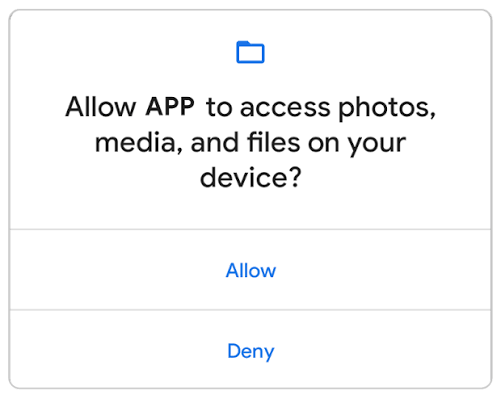
Image of device permissions on a new application. - Always update your applications and Operating system. These keep off unwanted vulnerabilities that may be lurking in outdated software.
- Lock your phone with a password, passphrase, or a PIN number. Don't use something that's easily recognizable like your birthday.
- Set your phone to automatically lock itself after a few minutes of inactivity. Recommendation is between 2-5 Minutes.
- Enable your phone's lost tracking feature like FindMy for iOS, and Find your phone for Android
- Regularly backup your phone to cloud services like Google Drive, or in physical media like a Hard Disk Drive.
- Do not connect to public wifi automatically, unless that public wifi has a secure password or a captive portal that's legit. It's actually recommended not to connect to them at all and use mobile data instead. Public wifis are unsecure and pose threats such as man-in-the-middle attacks and can steal your personal data and banking information.
When something goes wrong?
If you lost your device/got stolen.
- Immediately go over to another device and mark your mobile device as lost, the stolen device will lock itself out automatically.
- Report the SIM card as lost to your carrier, thieves can use your sim card to access 2fa codes.
- Log out all accounts associated with that device.
Your phone was infected with malware/viruses
- First signs of a mobile phone infected with malware is mobile device slowdown, Overheating, or probably Pop-up ads into your mobile device
- First move before you start cleaning is always disconnect it from the internet, better yet enable Airplane Mode
- Reset your device to factory settings, most malware can be purged using this method, make sure you have your data backed up before attempting to factory reset.
- Do not plug in removable devices such as flash drives, or you could risk contaminating the flash drive with malware.
- Change all your passwords after you clean up the device. Payloads such as keyloggers (a kind of spyware that tracks your keyboard presses) can still pick up your password changes.
- Recover your data from last backup.
Your phone was infected with Ransomware
This is rare on phones. It's far more common in work environments, on computers and laptops — but it's still worth knowing.
- Never pay the ransom to remove the malware
- Disconnect the device from the internet immediately
- Do a complete factory reset and also restore data from backup.
it's important that you always have a backup because, in a lot of cases, you don't have a choice but to purge and wipe your device back to factory settings.
A proper backup method is called the 3-2-1 method, three copies of the data, on two storage media, and one offsite.
In simple terms, imagine a picture, you must have 3 copies of it, 1 is stored in a physical media in your home, 1 is on cloud storage like Google Drive, and one offsite, maybe at another house that you own in another city
Although realistically as an individual, you don't need to follow the 3-2-1 rule however for some data like photos, it's best to keep at least 2 copies in 2 different storage media, easiest is Google drive and a Hard Disk Drive