Phishing and Social Engineering
Social Engineering uses psychological manipulation to trick users into giving sensitive information.
Phishing is a mail or text from a spoofed person or company designed to let you give them your personal information through psychological tactics like urgency, fear, or posing as someone you personally know
In other words, someone poses as your bank, and they try to scam you out of your credentials to steal money from you! Imagine that.
What to look for
- The sender's email address.
- The subject line of the email or text.
- The body of the email or text for suspicious language or grammar.
- Any links or attachments in the email or text.
- Any requests for personal information or login credentials.
- Any sense of urgency or fear tactics used in the email or text.
- Changes to the payment method or bank details
Text Messages
- Texts from a "Bank" saying you've won credits or cash prizes and sends a link to access, these texts can pose as a real bank so be careful with the sender.
- Texts from certain government regulatory bodies telling you that you have a pending traffic violation and gives you a link
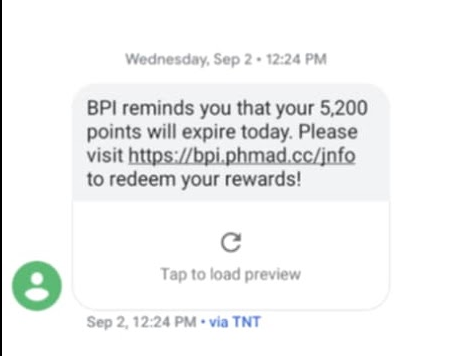
bpi.com.ph.
This one links to bpi.phmad.cc.
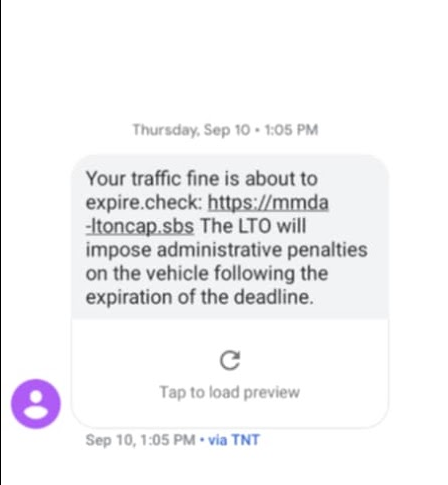
ltfrb.gov.ph.
This one links to ltfrb.gov.ph.traffic.com.
Email Examples
- Someone sends you an email that looks like it's from your bank, but the email address is different from the official one.
- Someone emails you about an accounting issue, and they want it fixed now, the problem is, the email was coming from @company.gmail.com instead of @company.com.
- It could also be an email from your bank claiming you have a problem with your account and asking you to click a link to resolve it.
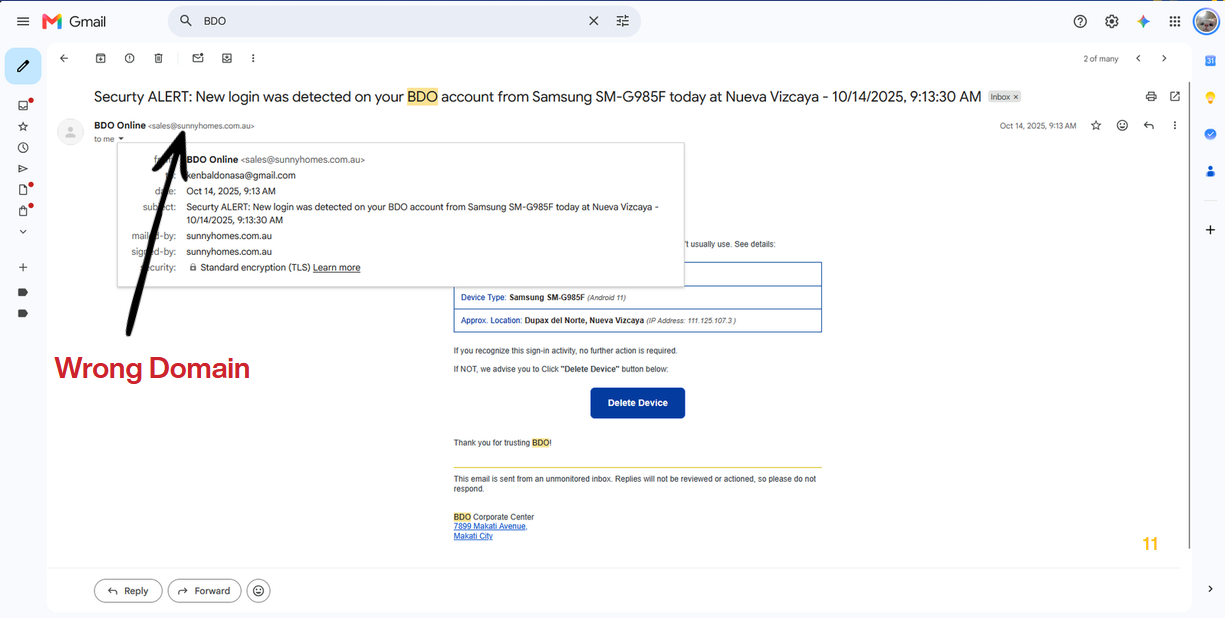
bank@bdo.com.ph.
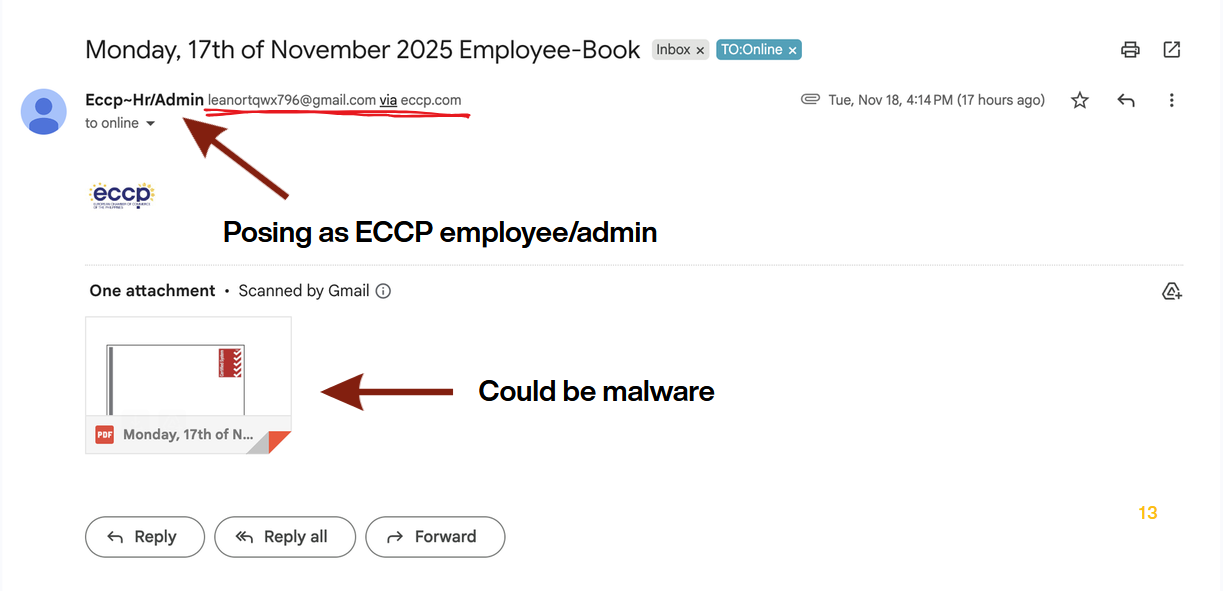
company.com.
This one links to leanortqwx796@gmail.com.
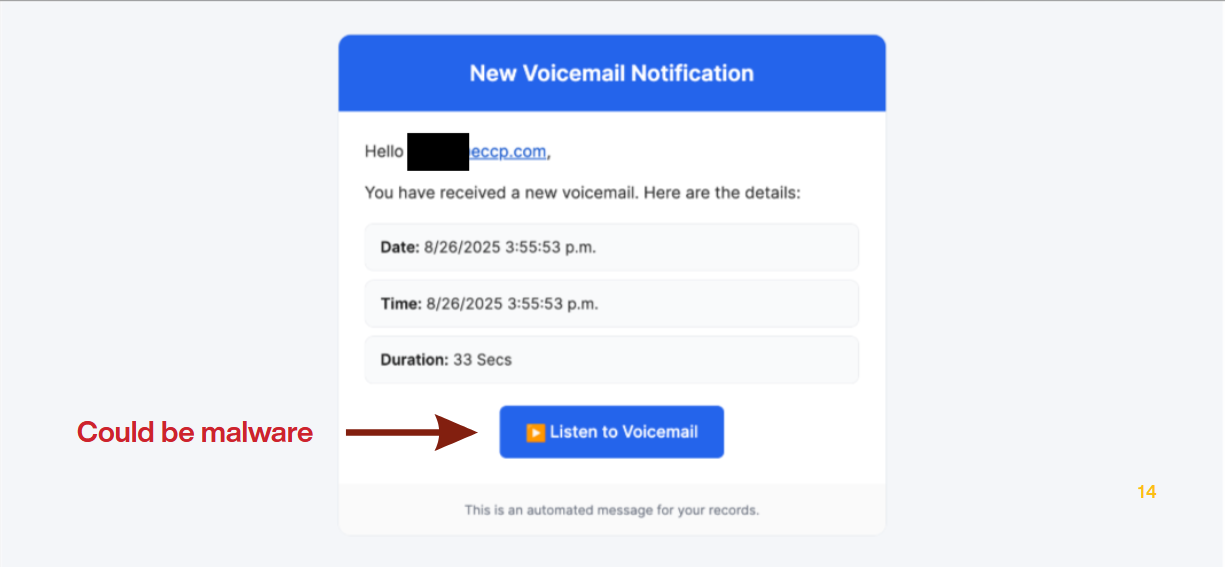
What to do if you got sent a suspicious looking email
- Check the email address to make sure it's from a legitimate source, check the email headers.
- If it happens on a work account, inform your IT team so the email can be investigated and verified.
- Check the link by hovering over it to see where it leads, if it looks suspicious, don't click it.
- Don't download any attachments from suspicious emails.
- Always remember the golden rule of the internet: Think before you click!
- If an email claims to be from a legitimate organization, verify it using contact details you already have, like the number on the back of your card or a site you typed in yourself. Never use the contact details in the message.
How to secure yourself against phishing attacks
- Set up two-factor authentication (2FA) on all your accounts.
- Be cautious when clicking links or downloading attachments from unknown sources.
- Regularly cycle your passwords and use strong, unique passwords for each account. Minimum is at least change passwords every 180 days. For more information, visit this!
How to report the incident when you have given your credentials
- Notify your IT or security team immediately if you have given your work credentials to a phishing email.
- Immediately change your password if you have given your credentials to a phishing email.
- Always include the email address and subject line when reporting the incident. Include the timestamp of when the incident occurred.
- Don't be hesitant or afraid to report the incident. It's better to be safe than sorry.
- For banking accounts, contact your bank directly to report any suspicious activity.